A well-organised and well-functioning dashboard is easiest to achieve with a bit of planning.
What is the intended usecase?:
Exploratory tool, insight, understanding
Monitoring, control, alert
Which elements are needed for the current project?:
Graphical elements
Control widgets
Information elements (text, symbols, ...)
How should these be organised to enable overview, focus and the right amount of user interaction?
How should the information flow when interacting with elements?
Which colours should be used in plots, backgrounds, labels, etc. (company colours, themed, standard)?
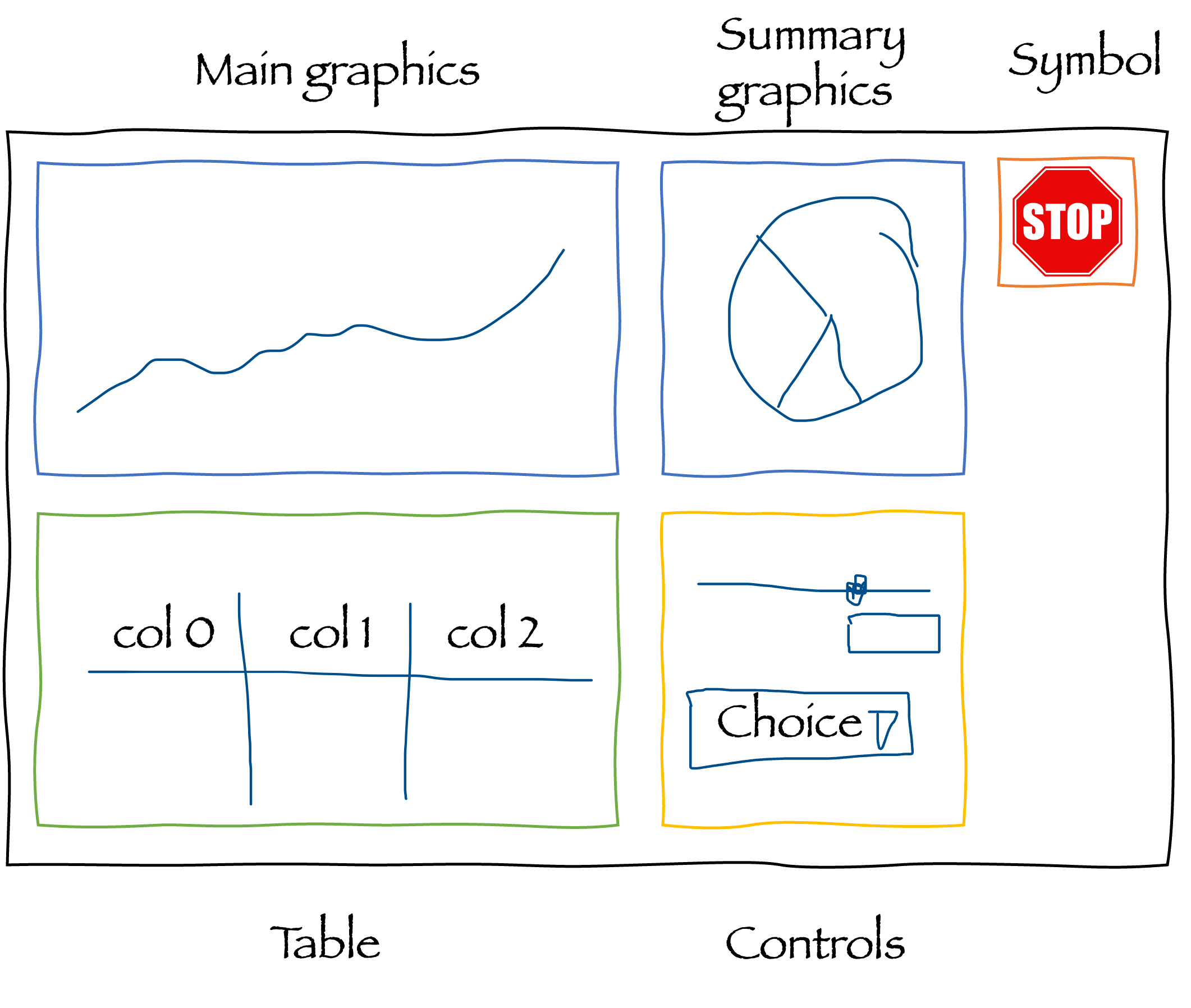
Sketching layouts
Sketching layouts using pencil and paper or a tool like draw.io, PowerPoint or similar is valuable.
Finding a good organisation is much quicker without using code.
Information flow
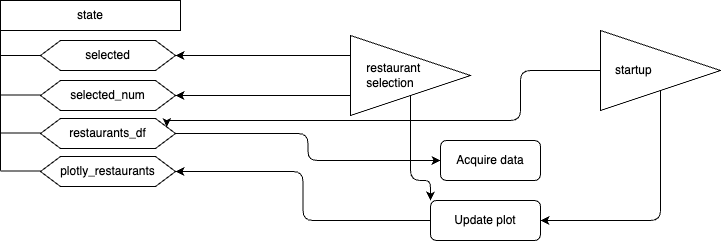
How different parts of the userinterface and backend connect, communicate and react can become a mess if programmed ad hoc.
Again, a good sketch is valuable for finding the right flow and for turning it into practice.
The following flow was made for the restaurant selection app when it was a Writer app.
Exercise
The expanded restaurant selection app with an extra dropdown menu contains two extra functions to populate the dropdown menu and handling choices.
Expand the information flow diagram (Dashboard_flow.drawio in this folder) to include these additions.