To set up a MongoDB cluster, these steps will help you on the way (subject to changes):
Navigate to MongoDB.com
Create an account
Choose the Free tier
Create a separate database username and password (Security -> Database & Network Access -> Database Users)
Edit IP Acess List in the same page adding 0.0.0.0/0 to the list (catch-all)
From the Project Overview choose Connect New in the Application Development and choose Drivers and Client Libraries, then Python + PyMongo (Synchronous) and check Get/Configure connection string and Installation instructions
Limitation of Free tier
512 MB storage
10 GB upload and download per 7 days (rolling)
Check connection
from pymongo.mongo_client import MongoClient
from pymongo.server_api import ServerApi

USR, PWD = open('../../../No_sync/MongoDB').read().splitlines()

uri = "mongodb+srv://khliland:"+PWD+"@ind320.rhc2o.mongodb.net/?retryWrites=true&w=majority&appName=IND320"

# Create a new client and connect to the server
client = MongoClient(uri, server_api=ServerApi('1'))

# Send a ping to confirm a successful connection
try:
    client.admin.command('ping')
    print("Pinged your deployment. You successfully connected to MongoDB!")
except Exception as e:
    print(e)
Accessing and manipulating
from pymongo.mongo_client import MongoClient

# Find the URI for your MongoDB cluster in the MongoDB dashboard:
# `Connect` -> `Drivers` -> Under heading 3.
uri = ("mongodb+srv://{}:{}@ind320.rhc2o.mongodb.net/"
       "?retryWrites=true&w=majority&appName=IND320")

# Connecting to MongoDB with the chosen username and password.
USR, PWD = open('../../../No_sync/MongoDB').read().splitlines()
client = MongoClient(uri.format(USR, PWD))

# Selecting a database and a collection.
database = client['example']
collection = database['data']Inserting
The MongoDB structure is such that each database contains collections.
These collections contain documents, which are similar to dictionaries.
Thus, when inserting data, we use dictionaries.
# Inserting a single document (dictionary).
collection.insert_one({'name': 'Hallvard', 'age': 23})

# Inserting multiple documents (list of dictionaries).
collection.insert_many([
    {'name': 'Kristian', 'age': 47},
    {'name': 'Ihn Duck', 'age': 15},
#    {'name': 'Ihn Duck', 'age': 16},
])

# Note that an _id field is automatically generated by MongoDB.
Check existence of record
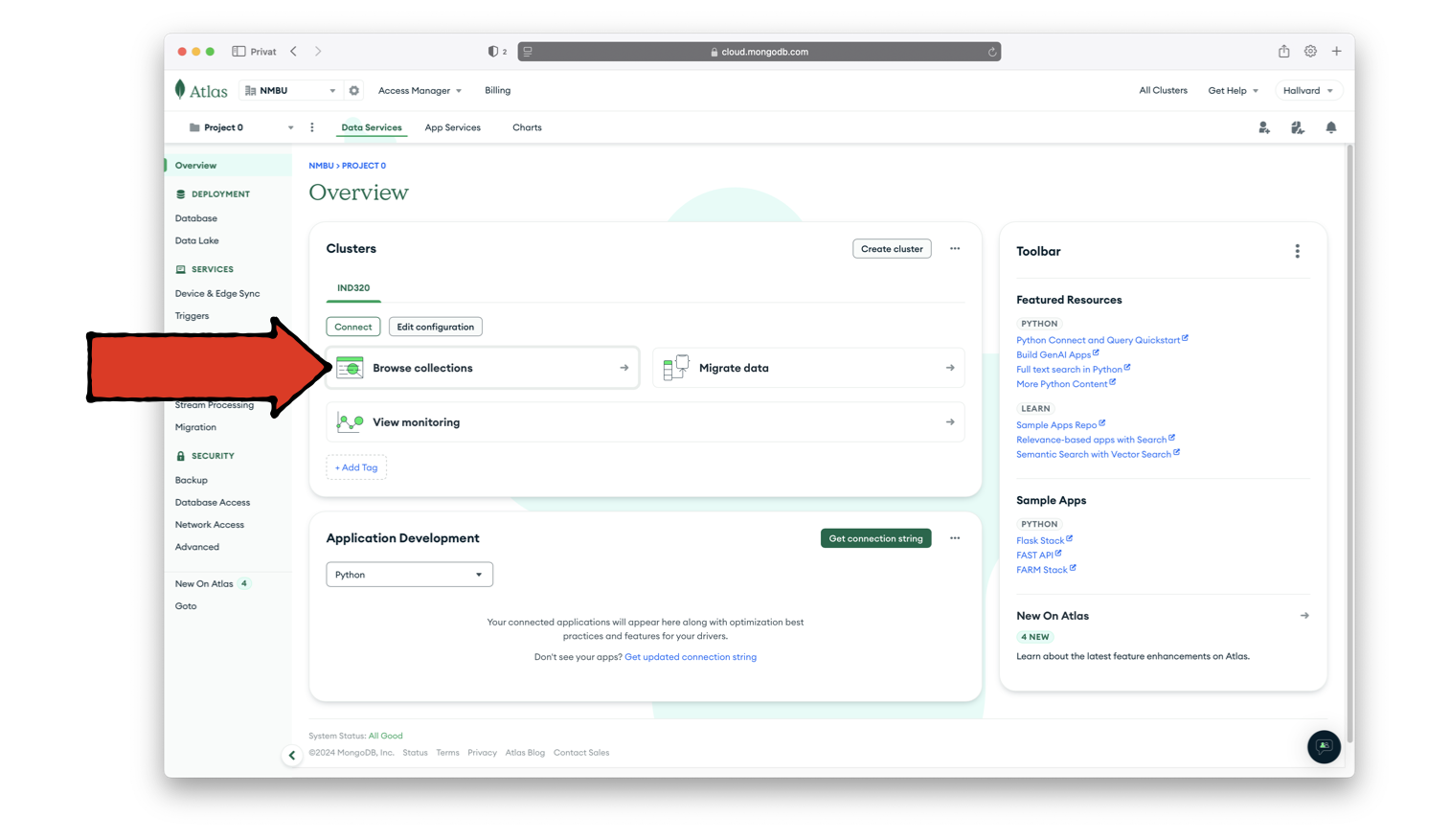
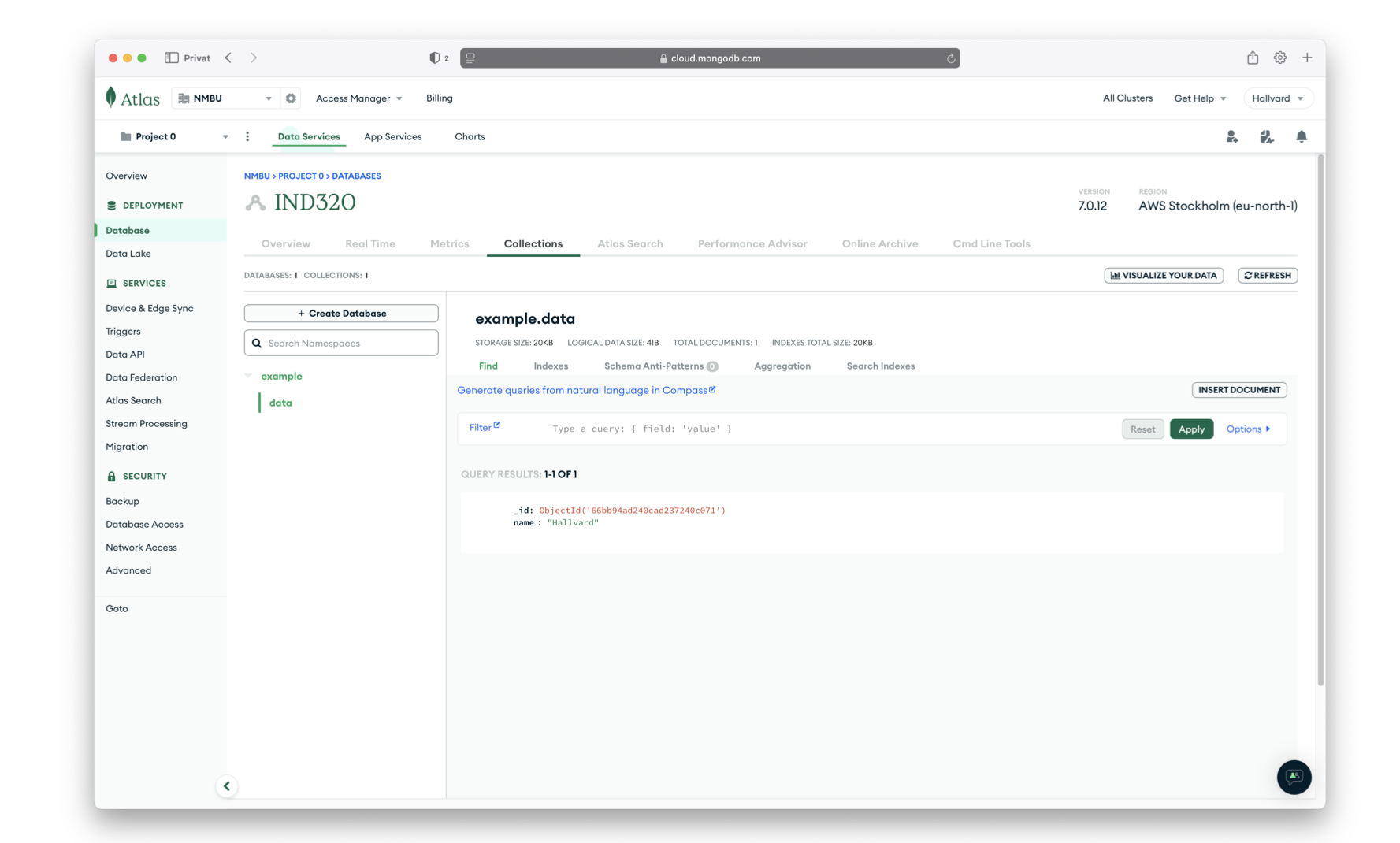
Reading
# Reading ALL documents from a collection.
# ........................................

documents = collection.find({})
# A cursor is returned.

# The cursor can be iterated over:
for document in documents:
    print(document)

# Or directly converted to a list:
#documents = list(documents)
# Reading SPECIFIC documents from a collection.
# .............................................
hallvard = collection.find({'name': 'Hallvard'})
for document in hallvard:
print(document)
hallvard = list(hallvard)Updating
Updating documents is done using the update_one and update_many methods.
The first argument is a query that selects the documents to update.
The second argument is a dictionary that specifies the changes.
# Updating a single document.
# ...........................
collection.update_one(
    {'name': 'Hallvard'},
    {'$set': {'name': 'Hallvard Lavik'}}  # Sets the `name` to `Hallvard Lavik`.
)

# Updating multiple documents.
# ............................
collection.update_many(
    {},
       {'$inc': {'age': 1}}  # Increments the `age` of all documents by `1`.
)Aggregating
Combine multiple operations into a single query.
pipeline = [
    {'$match': {'age': {'$gt': 20}}},
    {'$group': {'_id': None, 'average_age_over_20': {'$avg': '$age'}}},
]
result = collection.aggregate(pipeline)
result = list(result)
print(result)
Accessing through Streamlit
Several ways are possible.
The Python code below assumes a secrets.toml with a [mongo] section.
Exchange khliland, ind320, rhc2o, IND320, example and data with your equivalent data.
Exchange “+PWD+” with the actual password.
Copy to streamlit.io when deploying.
[mongo]
uri = "mongodb+srv://khliland:"+PWD+"@ind320.rhc2o.mongodb.net/?retryWrites=true&w=majority&appName=IND320"
# mongodb.py
import streamlit as st
import pymongo
# Initialize connection.
# Uses st.cache_resource to only run once.
@st.cache_resource
def init_connection():
return pymongo.MongoClient(st.secrets["mongo"]["uri"])
client = init_connection()
# Pull data from the collection.
# Uses st.cache_data to only rerun when the query changes or after 10 min.
@st.cache_data(ttl=600)
def get_data():
db = client['example']
collection = db['data']
items = collection.find()
items = list(items)
return items
items = get_data()
# Print results.
for item in items:
st.write(f"{item['name']} is {item['age']} years old")path_prefix = "/Users/kristian/Documents/GitHub/IND320/streamlit/"
file_name = "mongodb.py"
!streamlit run {path_prefix}{file_name}Deleting
Deleting documents is done using the delete_one and delete_many methods.
# Deleting a single document.
# ...........................
collection.delete_one({'name': 'Ihn Duck'})  # Deletes the document with `name = Ihn Duck`.
# Deleting multiple documents.
# ............................
collection.delete_many({'age': {'$gt': 25}}) # Deletes documents where `age > 25`.
# Deleting all documents.
# .......................
collection.delete_many({})